
The Conferences Center module allows administrators to create and manage conference rooms for the Nexbro Walkie Talkie application. These conference rooms enable multiple users to communicate together in a single group session, making them suitable for team coordination, discussions, and real-time collaboration.
Administrators can manage conference room settings, monitor participant activity, and organize communication channels to support efficient group communication within the application.
Each conference can be configured with moderators, participants, PINs, and various control settings.
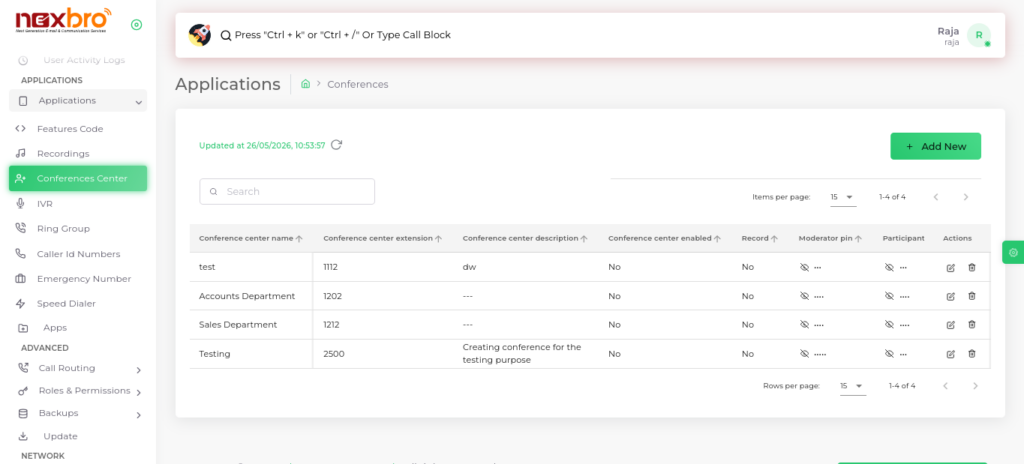
Add Conference
The admin can create a new conference by clicking on “Add New”.
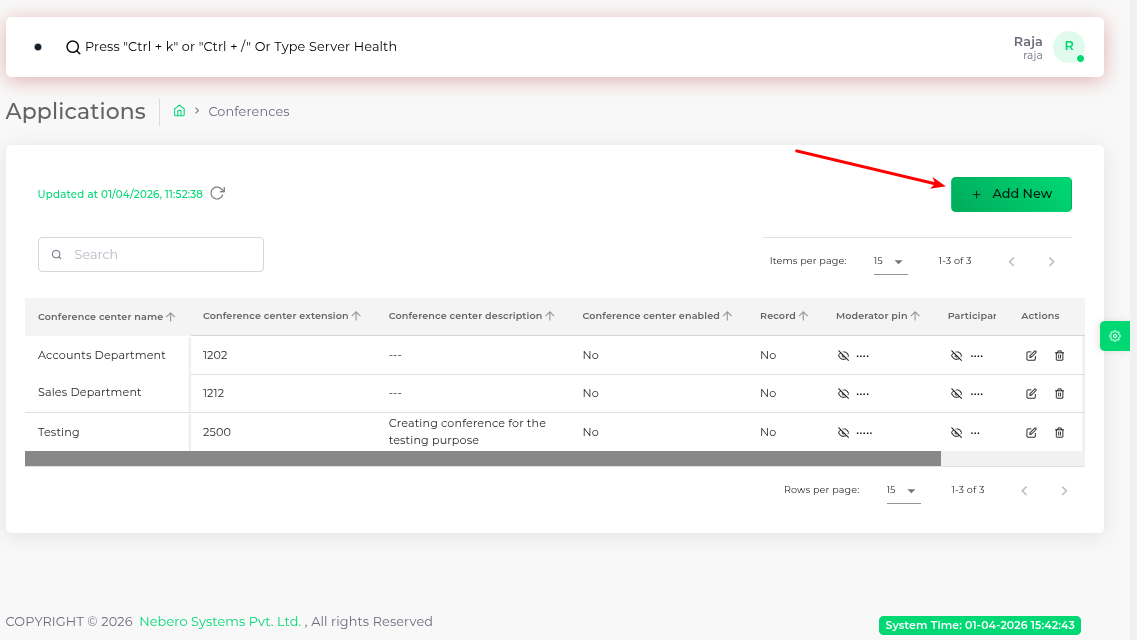
General Settings
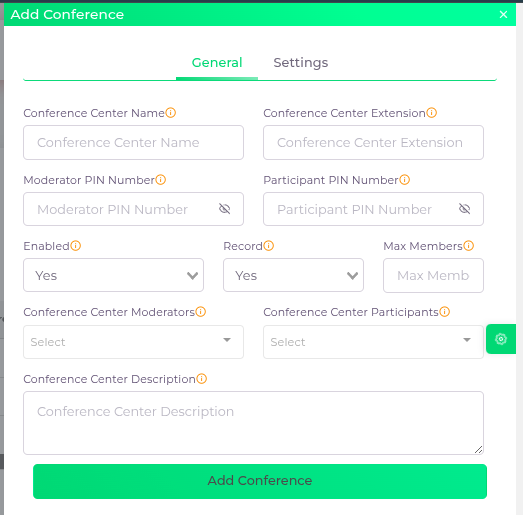
Additional Settings
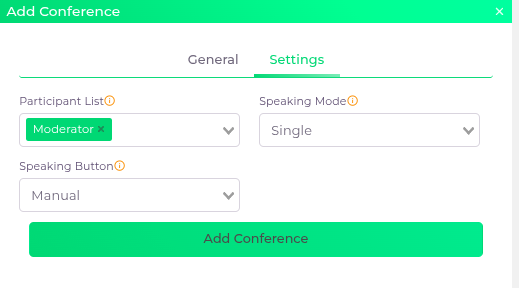
Click the “Add Conference” button to create the conference.
| Fields Name | Description |
| Conference Center Name | The name of the conference |
| Conference Center Extension | The extension number assigned to the conference |
| Moderator PIN Number | A secure PIN required for the moderator to access conference controls. |
| Participant PIN Number | A secure PIN code for participants to join the conference |
| Enabled | Enable or disable the conference |
| Record | Set this to YES to record the conference session, or NO if you do not want it recorded. |
| Max Members | The maximum number of participants allowed in the conference. |
| Conference Center Moderators | Select the list of moderator extensions who will have elevated controls during the conference. |
| Conference Center Participants | Select the list of participant extensions that are allowed to join the conference. |
| Conference Center Description | Additional details or notes about the conference |
| Participant List | Selects who can view the participant list in the app. |
| Speaking Mode | Determines the speaking behavior in the app. If set to Single, only one person can speak at a time; if set to Multiple, multiple participants can speak simultaneously. |
| Speaking Button | If you select Manual, you need to press and hold the speaking button each time you want to speak. If you set it to Sticky, you can speak until you press the speaking button again. |
Click the “Add Conference” button to create the conference.
