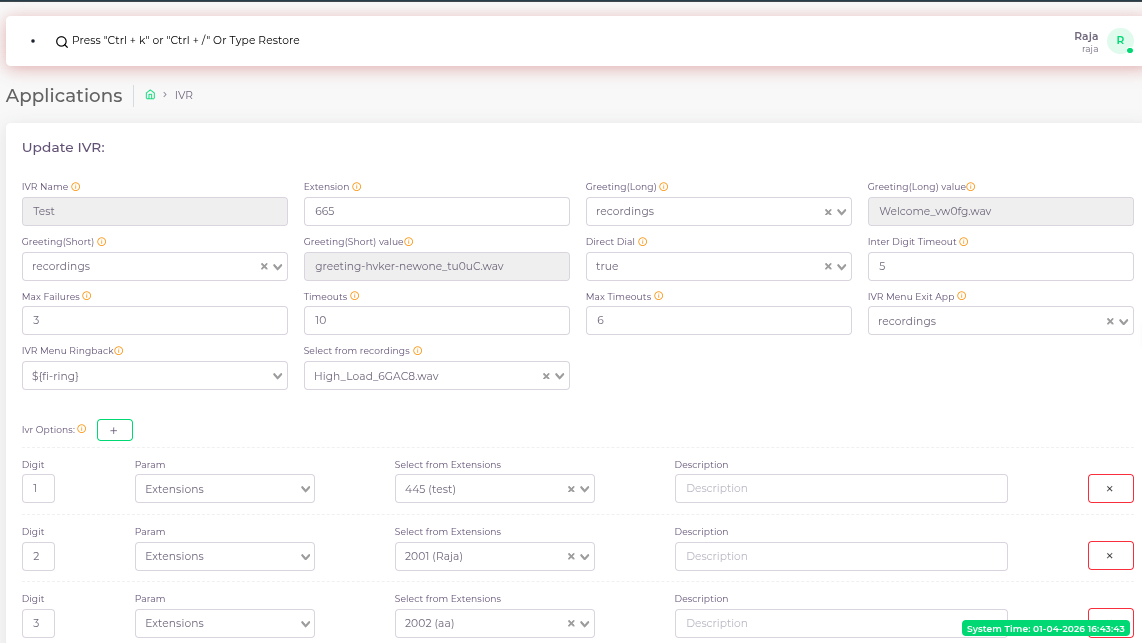
The IVR module allows the admin to create automated voice menus that interact with callers and route them based on user input.
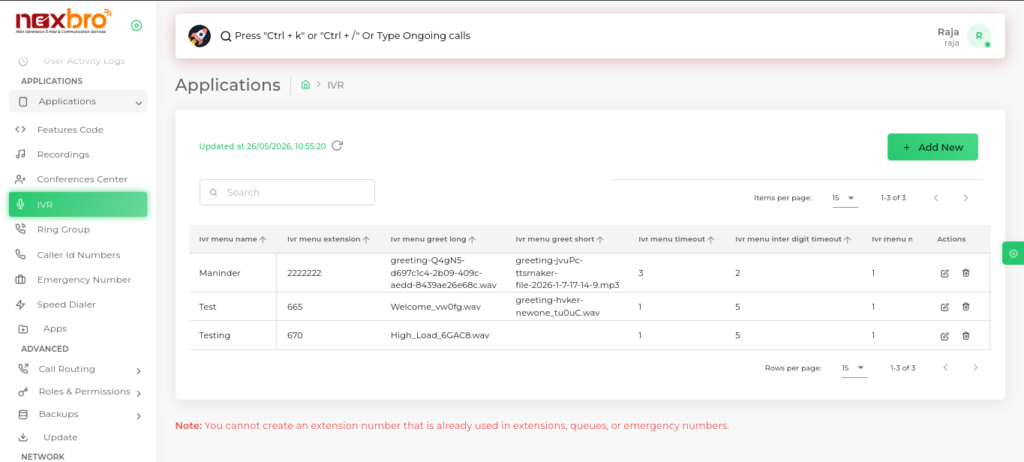
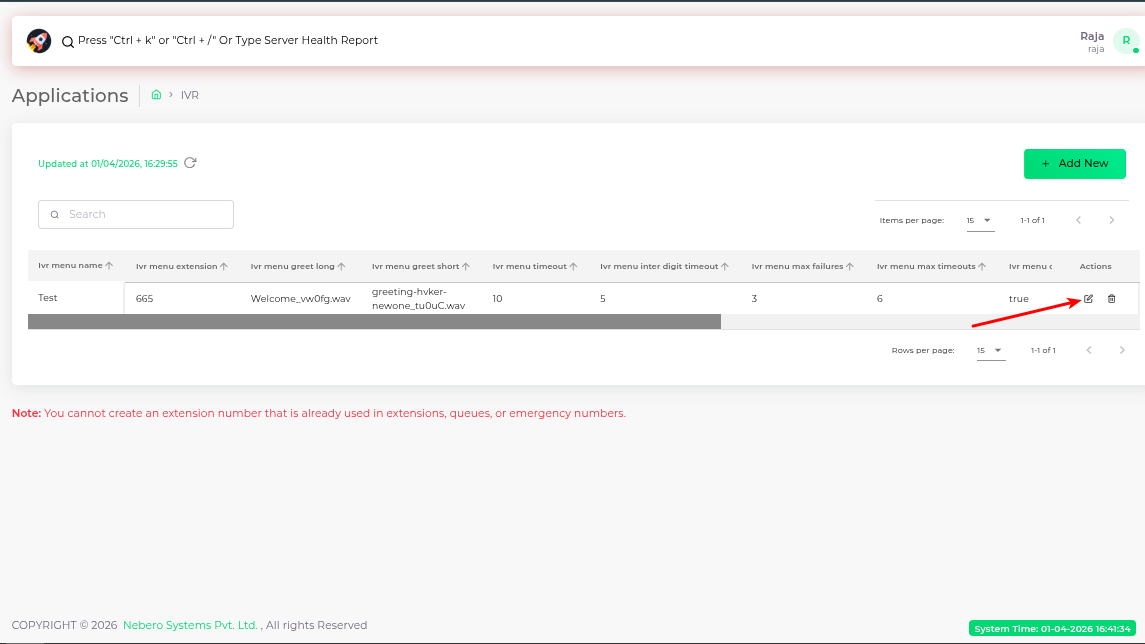
The IVR list displays all configured IVRs with details like name, extension, greetings, timeout settings, and actions.
Add IVR
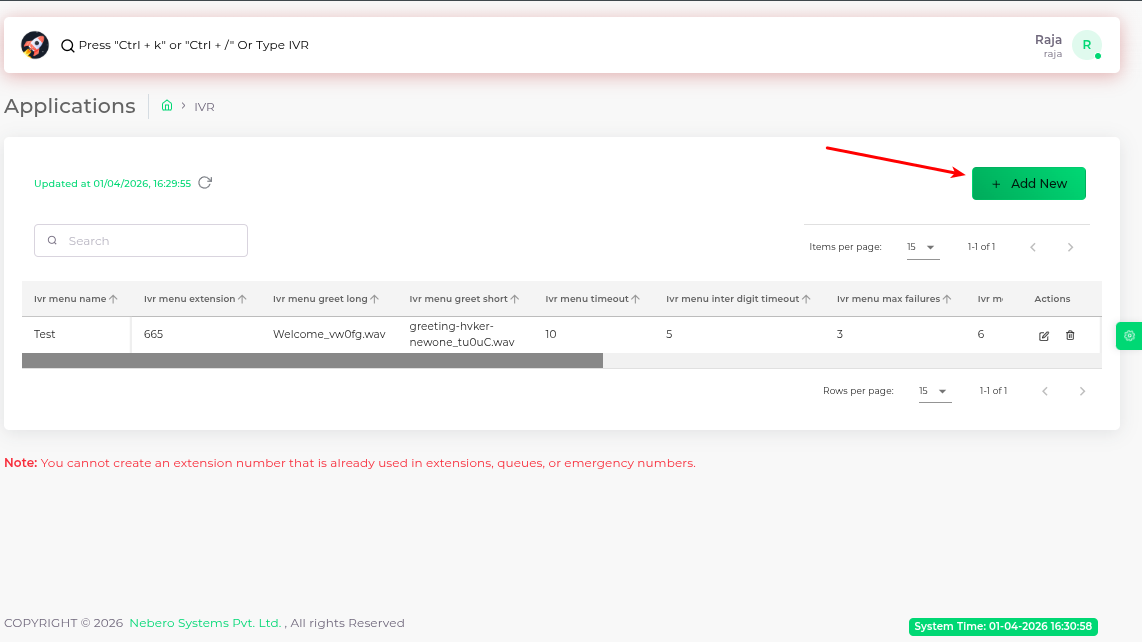
The admin can create a new IVR by clicking on “Add New”.
The following details need to be configured:
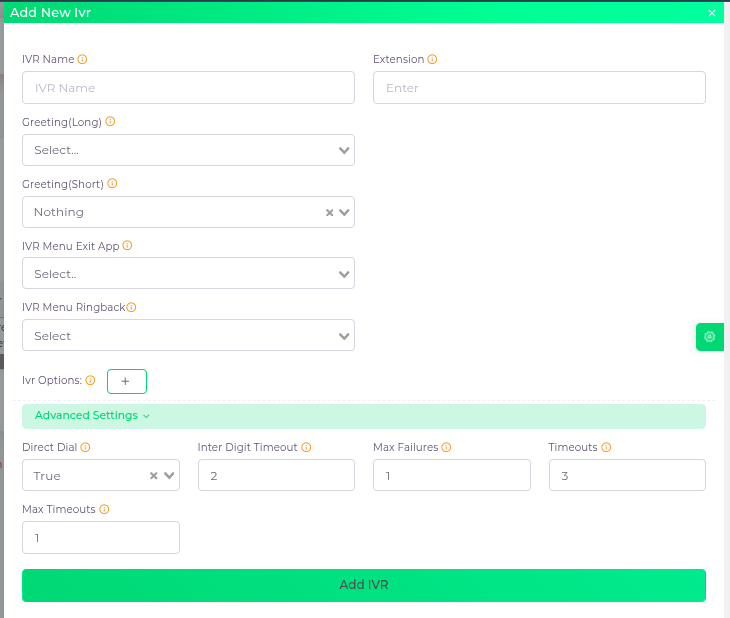
Click “Add IVR” to save.
| Fields Name | Description |
| IVR Name | The name of the IVR menu |
| Greeting(Long) | This is the long greeting that plays when the caller enters the menu |
| Greeting(Short) | The short greeting played when the caller returns to the menu |
| IVR Menu Exit App | Specify the action to perform when the maximum wait time is reached |
| IVR Menu Ringback | The ringback tone or music that a caller hears while the IVR menu is processing their input or transferring the call. |
| Extension | The extension of the IVR menu |
| Ivr Options | Digit: Digits entered by the caller through the phone keypad to navigate through the menu, with each digit corresponding to a specific destination. Param: The destination to which the digit navigates Description: A description of the destination |
| Direct Dial | This defines the caller’s capability to directly dial registered extensions. It can either be set to true or false |
| Inter Digit Timeout | The number of seconds the IVR waits between two digit key presses. |
| Max Failures | The maximum number of times a caller can press a wrong or invalid key before the IVR exits. |
| Timeouts | The number of seconds the IVR waits for the caller to press a key after playing the greeting or confirmation message. |
| Max Timeouts | The maximum number of times the IVR will wait without receiving any key press (silence) before exiting or hanging up. |
| Ivr Options | Digit: Digits entered by the caller through the phone keypad to navigate through the menu, with each digit corresponding to a specific destination. Param: The destination to which the digit navigates Description: A description of the destination |
Update IVR (Edit IVR)
The admin can modify an existing IVR by clicking the Edit (✏️) icon from the IVR list.
Editable Fields