
The Roles module allows administrators to create and manage different user roles within the IP-PBX system. Roles help organize users and control access to system features based on their responsibilities.
Each role contains specific permissions that define what actions users can perform and which modules or features they can access. This helps improve system security, simplifies user management, and ensures users only have access to the functions required for their role.
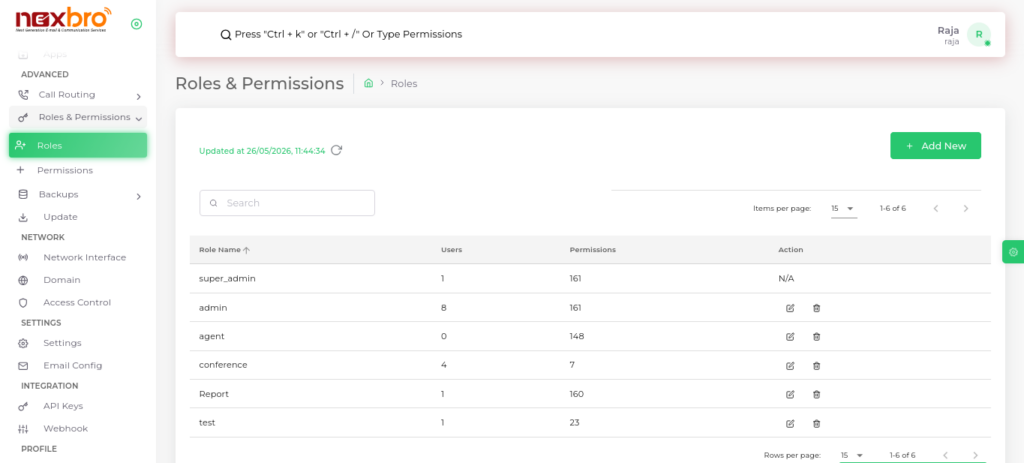
Add Role
This option allows users to create a new role by defining its name and assigning specific permissions. It helps customize access control and manage user responsibilities effectively.
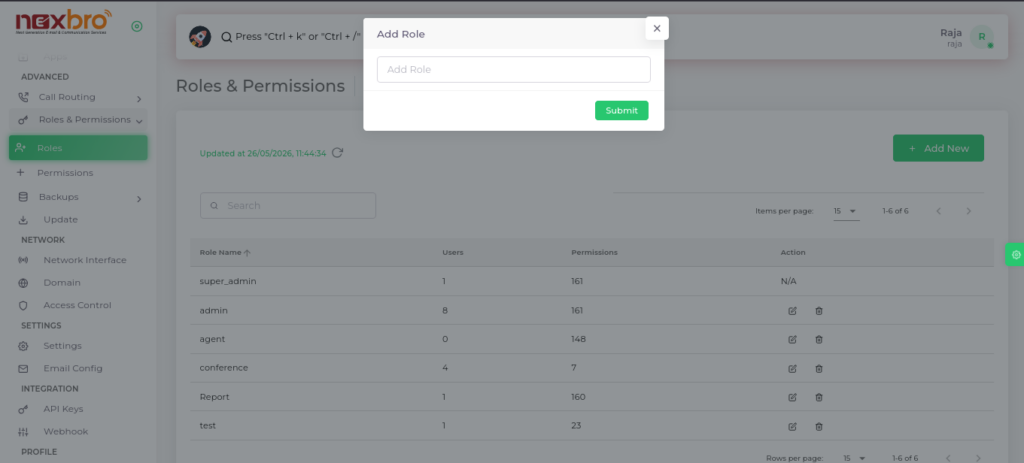
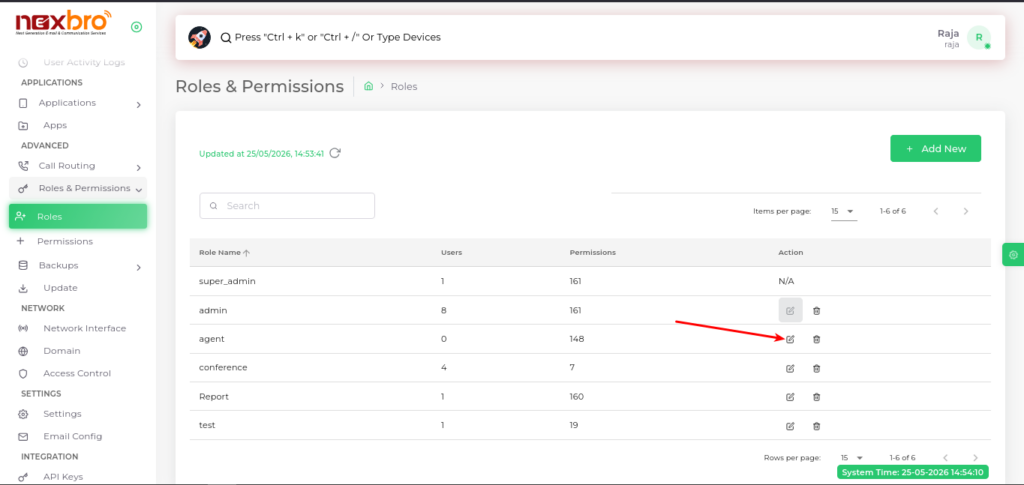
This screen displays all created roles within the system along with their assigned users and permissions.
Here, the following details are available:
- Role Name – Name of the role
- Users – Number of users assigned to the role
- Permissions – Total permissions assigned to the role
- Actions – Options to manage or delete the role
- Add New – Button to create a new role
The admin can manage role-based access control from this section.
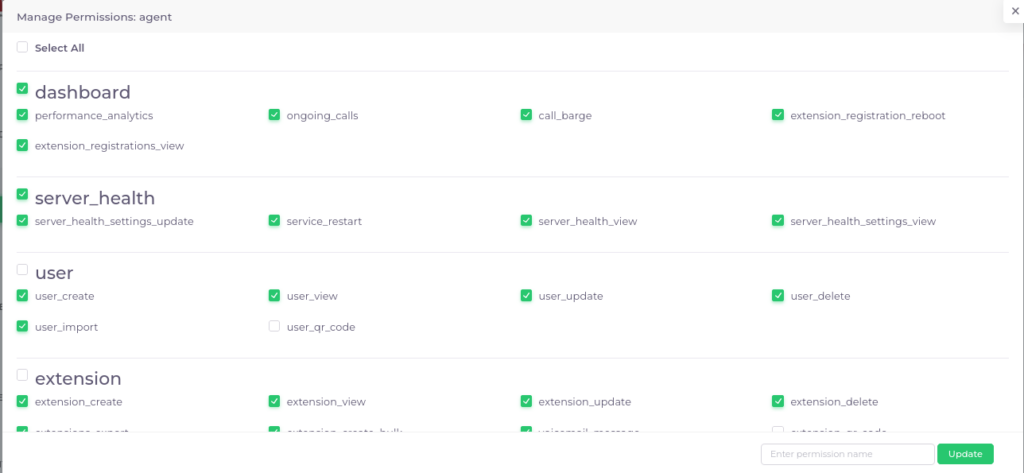
This screen allows the admin to assign or remove permissions for a selected role.
Permissions are grouped module-wise, such as:
- Dashboard
- Server Health
- User
- Extension
- And other system modules
The admin can:
- Enable or disable permissions individually
- Use “Select All” to grant all permissions
- Update role access using the “Update” button
This helps ensure controlled and secure access to system functionalities based on user responsibilities.