
The Recordings module allows administrators to manage all audio files used within the IP-PBX system. These recordings are commonly used for announcements, IVR menus, hold music, queue greetings, voicemail prompts, and other telephony-related functions.
Administrators can upload, organize, play, and manage audio files from this module, making it easier to customize call handling and improve the caller experience across the system.
The system includes some default recordings, and the admin can also upload custom recordings as needed.
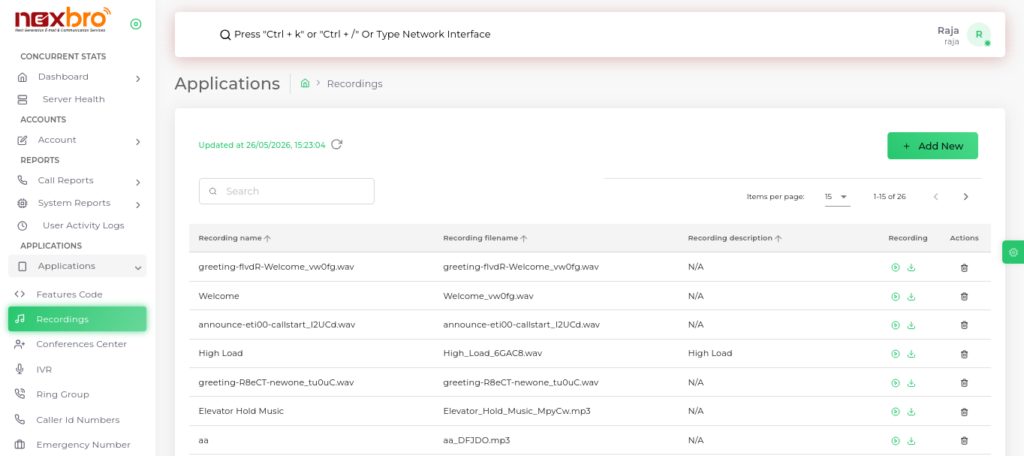
Add New Recording
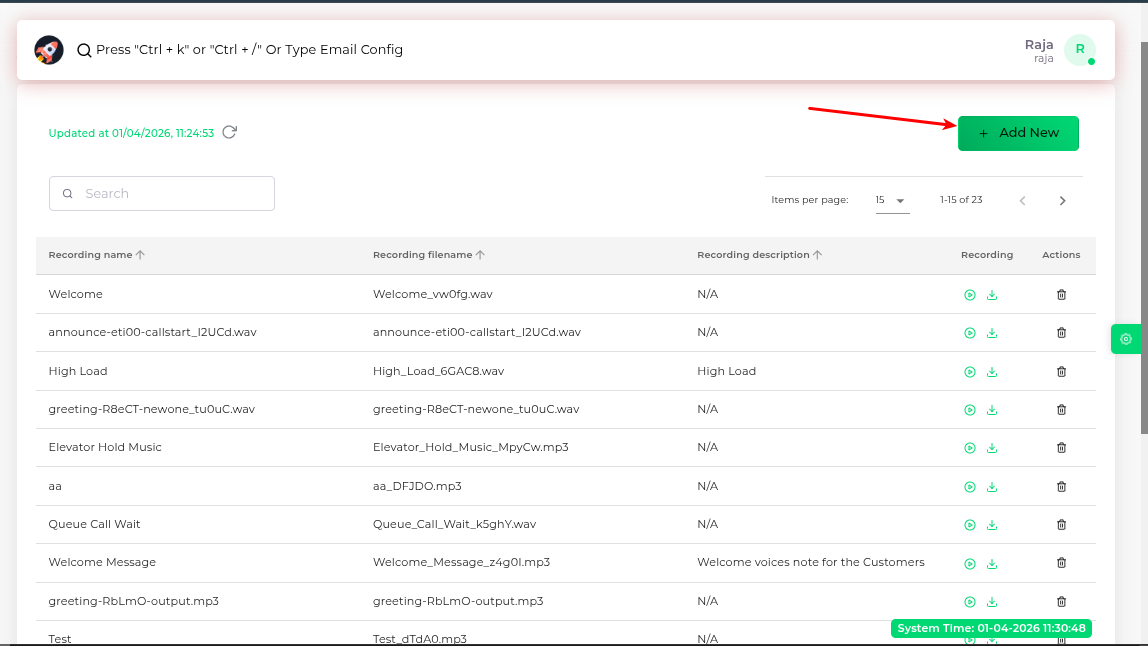
The admin can upload a new recording by clicking on “Add New”.
Here, the following details need to be filled:
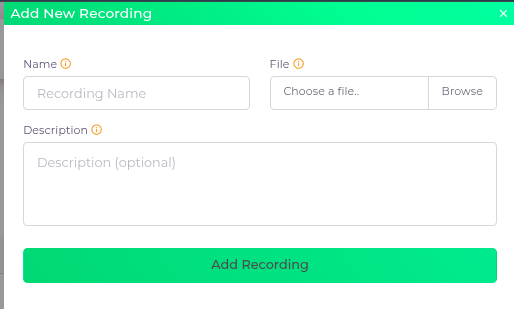
Fields Description
| Field Name | Description |
| Name | The name of the recording file |
| File | The recording file, which should be in .wav or .mp3 format |
| Description | A description for the recording |
