
The SIP Profiles module allows the admin to manage Session Initiation Protocol (SIP) profiles used by the IP-PBX system for handling VoIP communication. SIP profiles define how the server communicates with internal and external SIP devices, gateways, and providers.
This module helps in controlling SIP connectivity, profile status, and network communication settings.
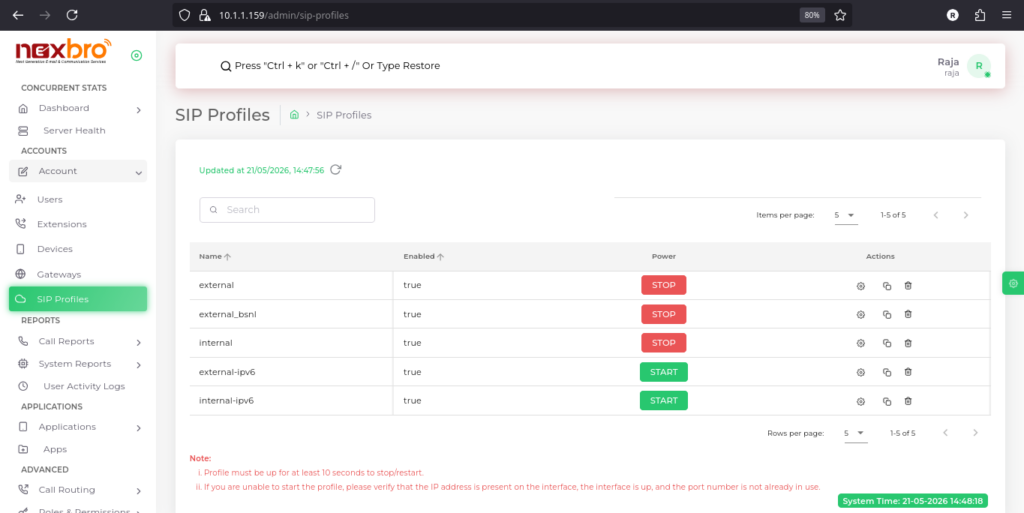
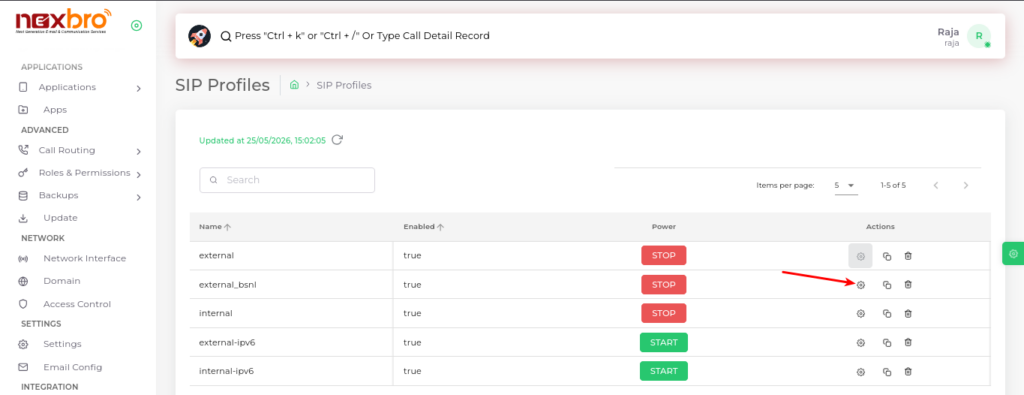
This screen displays all configured SIP profiles along with their current status and available actions.
The following details are available:
- Name – Name of the SIP profile
- Enabled – Shows whether the profile is enabled or disabled
- Power – Allows the admin to start or stop the SIP profile
- Actions – Options to edit, clone, or delete the SIP profile
This section helps the admin manage SIP communication services and monitor profile status.
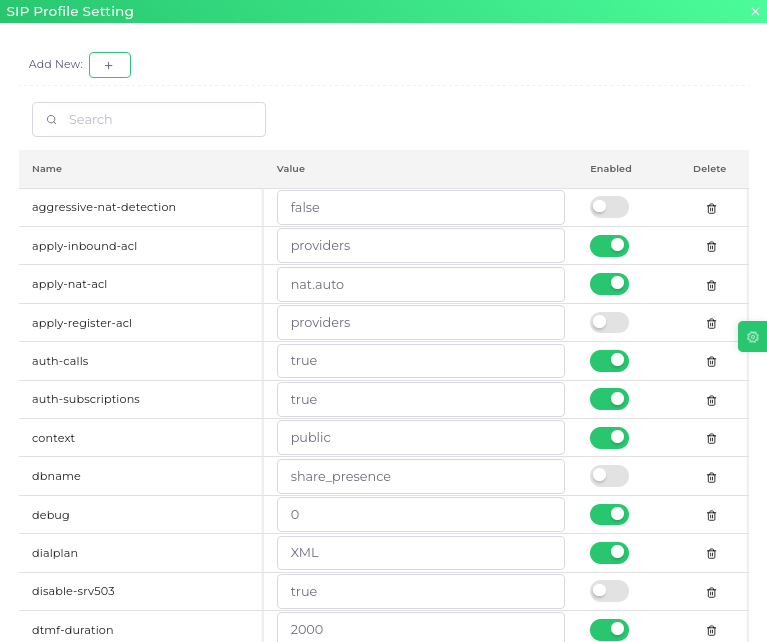
This screen allows the admin to edit SIP profile configuration settings and update parameter values.
After modifying the required settings, click the “Update” button to save the changes.