
The Users module allows the admin to create and manage user accounts within the IP-PBX system. These users are responsible for accessing the system based on assigned roles and permissions.
This module provides a complete overview of all users along with their account and login details.
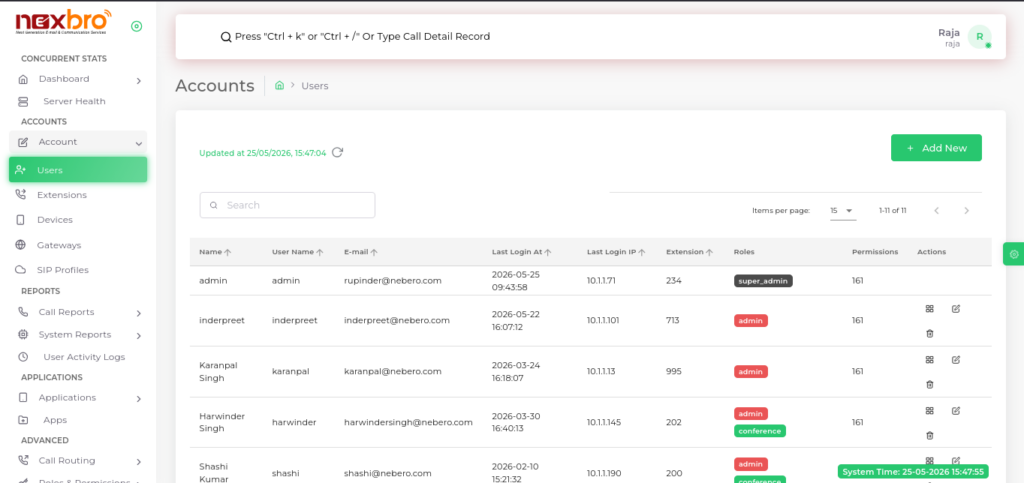
Here, the following details are available:
- Name – Full name of the user
- User Name – Unique username used for login
- E-mail – Email address of the user
- Last Login At – Date and time of the last login
- Last Login IP – IP address from which the user last logged in
- Actions – Options to edit or delete the user
Add New User
The admin can create a new user by clicking on “Add New”.
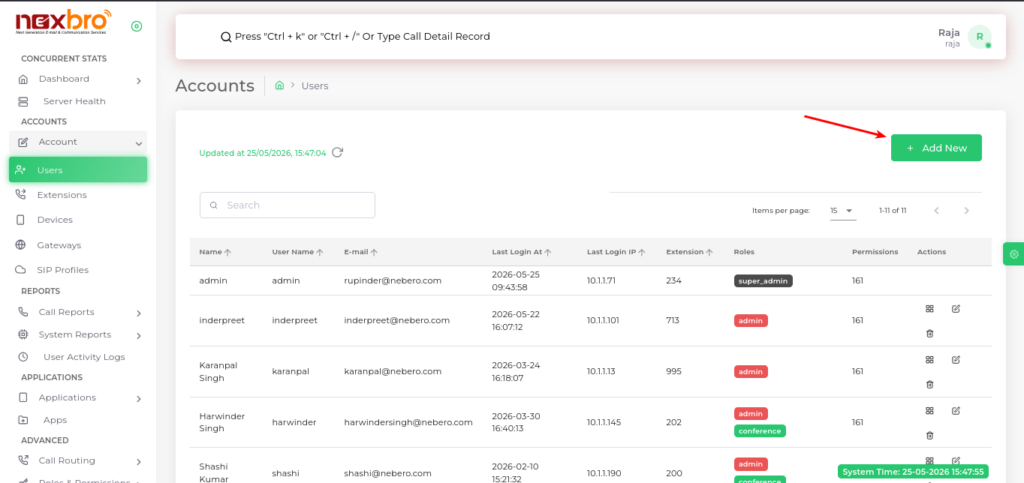
Single User
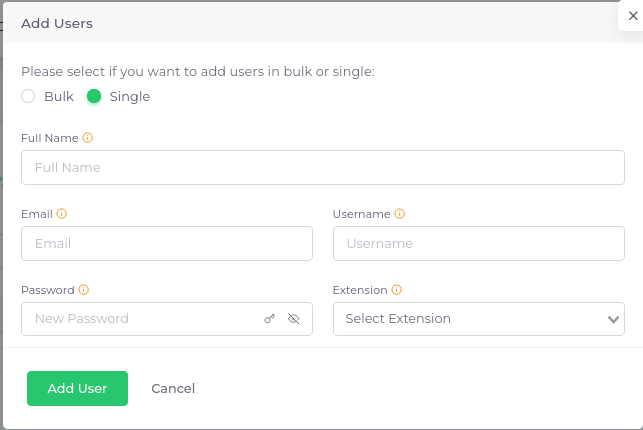
This option allows creating one user at a time.
Here, the following details need to be filled:
| Fields Name | Description |
| Full Name | The full name of the user. |
| The user’s email, (used for password reset emails). | |
| Username | The user’s username, which is used to log in to the Nexbro admin panel. |
| Password | Password must be at least 8 characters long and include one uppercase letter, one lowercase letter, one symbol, and one number. |
| Extension | The extension is used for barged the running calls. |
Bulk User (CSV Upload)
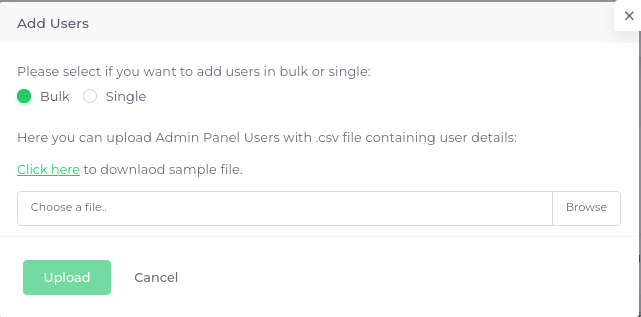
This option allows creating multiple users at once using a CSV file.
Steps to create users in bulk:
- Select the Bulk option
- Click on “Click here” to download the sample CSV file
- Open the sample file and fill in user details in the required format
- Save the file after entering all data
- Click on “Choose a file” and upload the CSV file
- Click on the “Upload” button
The system will automatically create users based on the uploaded CSV data.
Notes
- Ensure the CSV file format matches the sample file
- Invalid or missing data may cause upload failure
- All users will be created with the provided details in the file
