
The module also supports auto-configuration for supported devices, including Grandstream and Cisco IP phones, making device setup faster and easier through DHCP-based provisioning or by manually importing the configuration file into the device.
This module provides details about each provisioned device along with its provisioning information.
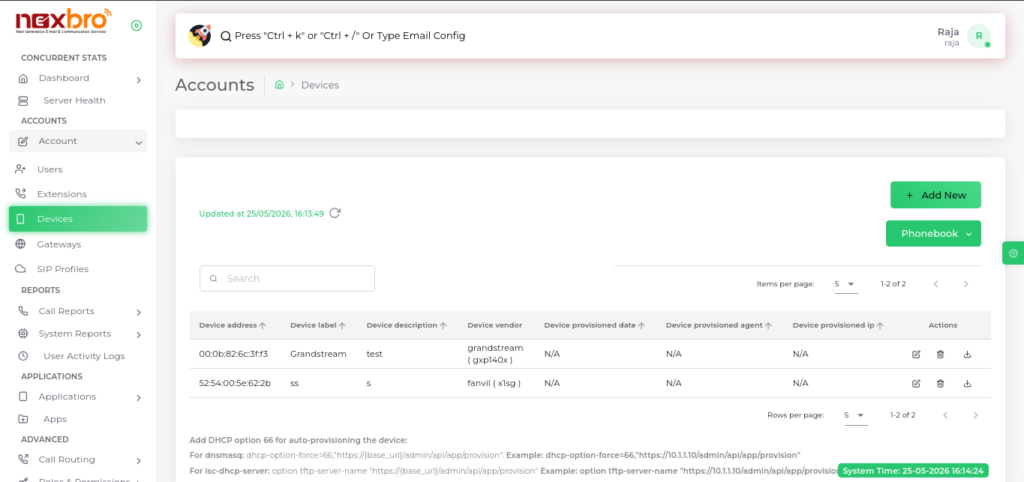
Add New Device
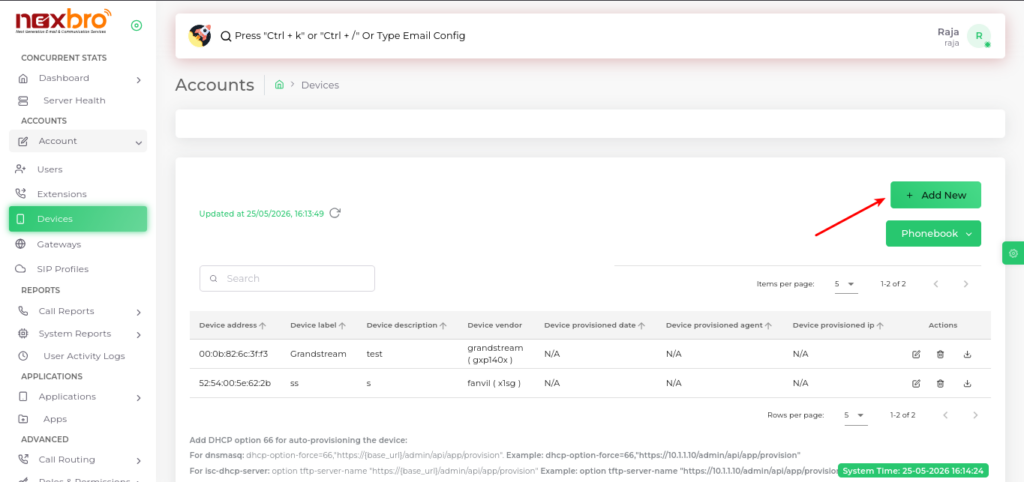
The admin can add new devices by clicking on “Add New”. The system provides two methods:
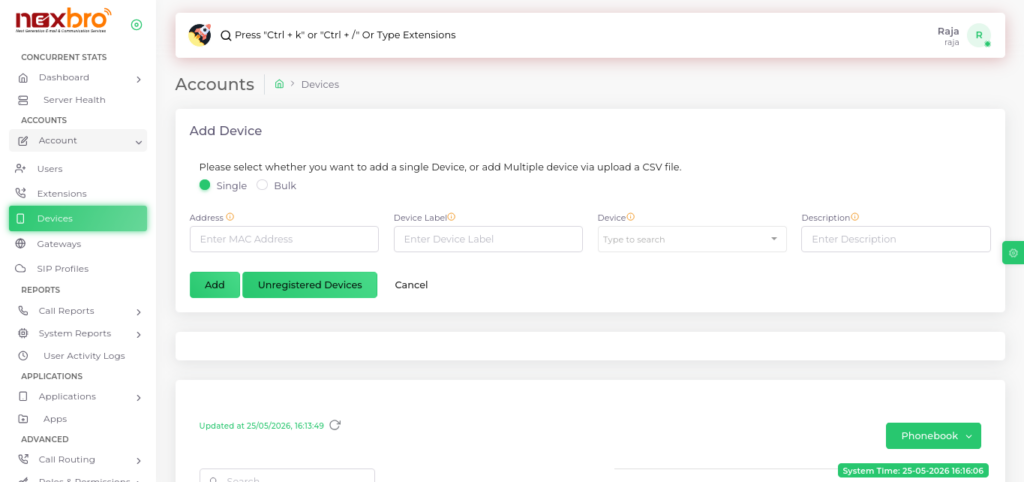
Single Device
This option allows adding one device manually.
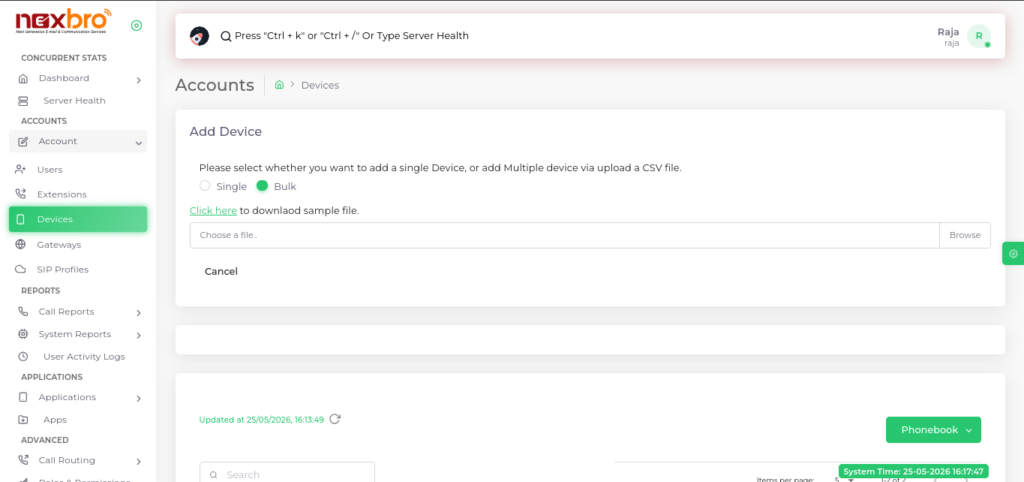
Bulk Device (CSV Upload)
This option allows adding multiple devices at once using a CSV file.
| Fields Name | Description | Example |
| Address | Enter the MAC address of the device to be provisioned | 00:0b:82:6c:3f:f3 |
| Device Label | Label will help you identify the device | Grandstream |
| Device | Select the vendor model of the device to be provisioned | gxp14x0 |
| Description | Add a description for the device | Frontdesk device |
| Line | Choose the line of the device to configure with the specified extension | 1 |
| Extension | Select an extension | 234 |
| Display Name | Specify the name displayed on the device’s LCD screen | Rupinder Singh |
| Transport | Determine the network protocol used for the SIP transport | TCP/UDP |
