
The Jobs module allows administrators to create and manage automated backup tasks for the IP-PBX system. These jobs can be scheduled to run automatically at specific times or intervals, helping ensure important system data is backed up regularly.
The module provides a centralized view of all configured backup jobs, including their schedules, status, execution history, and backup destinations. This helps administrators monitor backup activities and maintain reliable data protection and recovery processes.
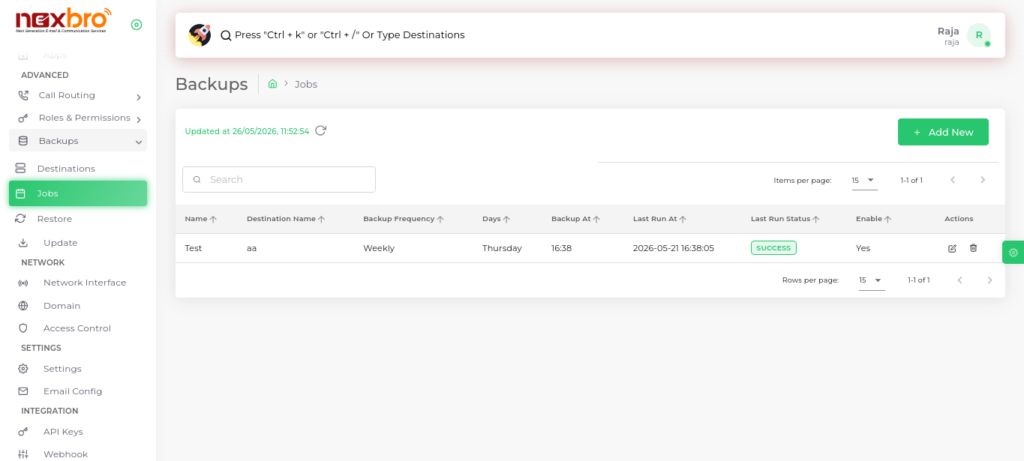
Add new (Jobs)
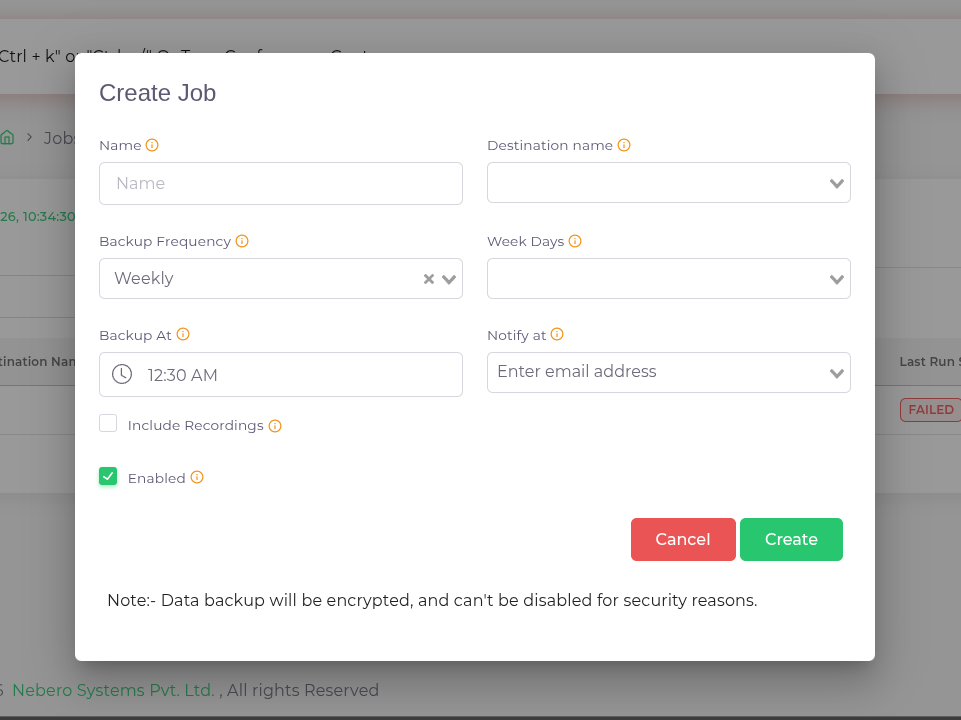
Click the “Create” button to save the job configuration.
| Activity | Description |
| Name | The name of the Job |
| Destination name | Select the preferred destination server for backup |
| Backup Frequency | The backup of the job frecquency either weekly or monthly |
| Week Days | Select the days of the week when job should run |
| Backup at | The time at which job should run |
| Notify at | The E-Mail for job status notification |
| Include Recordings | Enable or disable the inclusion of the recordings in the backup job |
| Enabled | Whether the Job is enabled or disabled |
All records can be edited or updated as per requirements. Regular checks are recommended to ensure backups are running successfully.
