
This section allows administrators to create time-based rules for call handling within the system. Calls can be routed differently based on working hours, holidays, weekends, or other predefined time conditions.
Using these rules, administrators can automatically direct calls to different destinations such as extensions, IVR menus, voicemail, or queues depending on the configured schedule. This helps automate call flow management and ensures calls are handled appropriately based on business hours and operational requirements.
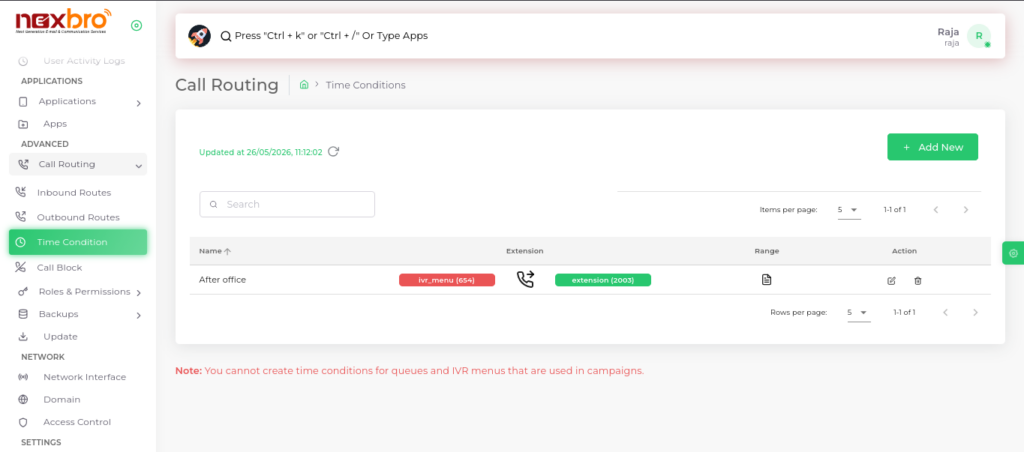
Add New (Time Condition)
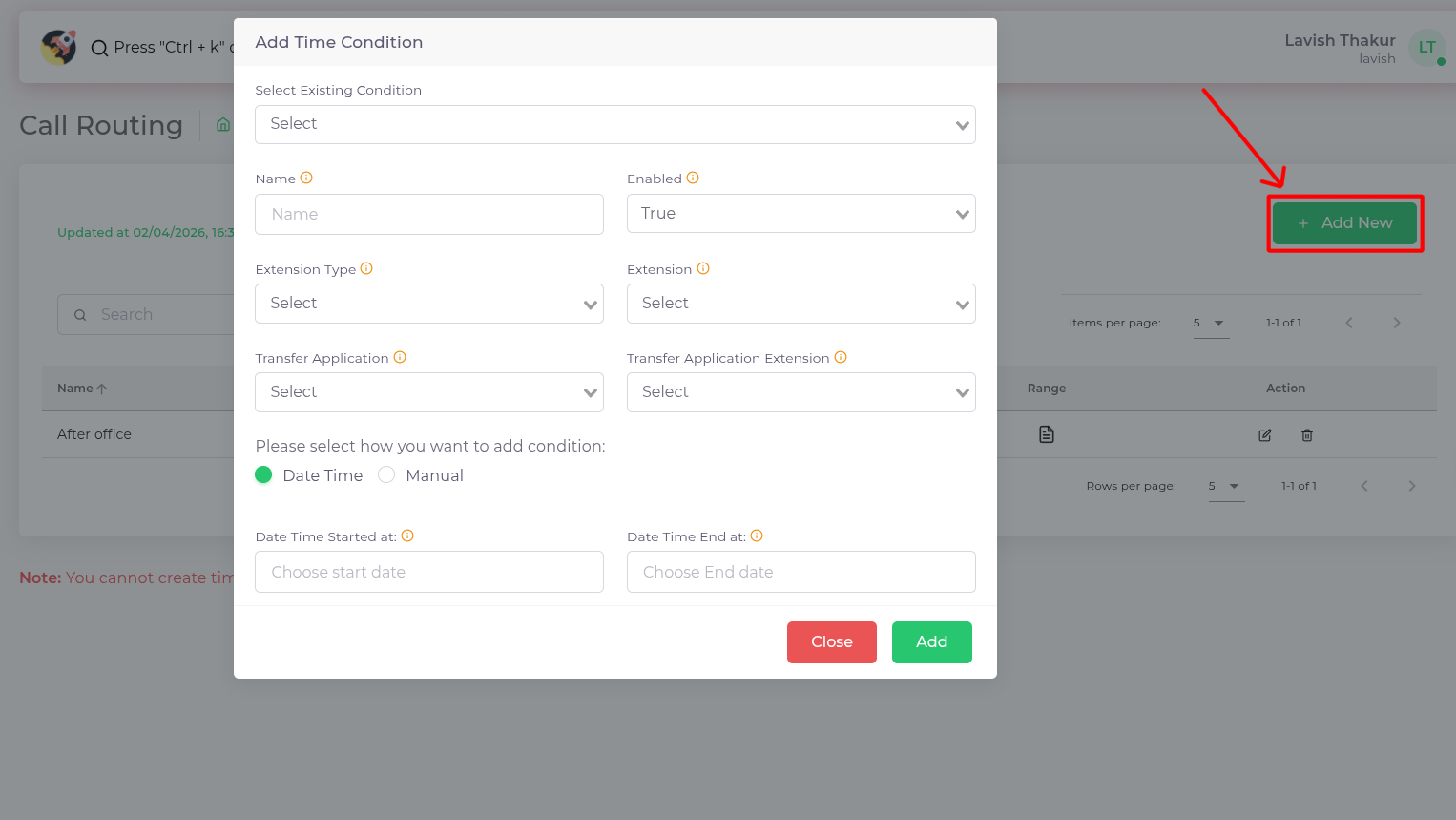
This option allows users to create a new time-based rule by defining schedules like working hours or holidays. It helps route calls automatically based on specified time conditions for better call management.
| Fields Name | Description |
| Select Existing Condition | To select the condition which is existing . |
| Name | Name of the time condition. This label helps identify and differentiate between various time conditions within the system |
| Enabled | Whether the time condition is enabled or not. If enabled, the time condition rules will be applied according to the specified settings. If disabled, the time condition will not be applied, and the system will bypass these rules. |
| Extenstion Type | Specifies the type of extension associated with this time condition. Extensions could be of various types, such as Queues and IVR menu |
| Extension | The specific extension number related to this time condition. |
| Transfer Application | The application which calls are transferred when the time condition is met. This could be an IVR, a specific queue, or any other application configured to handle calls during the specified time. |
| Transfer Application Extension | The extension associated with the transfer application. This specifies where the call should be directed within the transfer application. It could be another extension number, a queue. |
| How we want to add condition | We can add the condition by Manually and by Date and Time |
| Date Time Start | The starting date and time from which the time condition should be applied. This defines when the time condition becomes effective. For example, it could be set to start at a specific date and time, such as the beginning of business hours. |
| Date Time End | The ending date and time when the time condition should cease to be applied. This defines when the time condition stops being effective, such as the end of business hours or a specific closing time. |
