
The Server Health Report module allows administrators to monitor the overall health and operational status of the IP-PBX server in real time. It helps track system performance, detect service failures, and identify resource usage issues before they affect system operations.
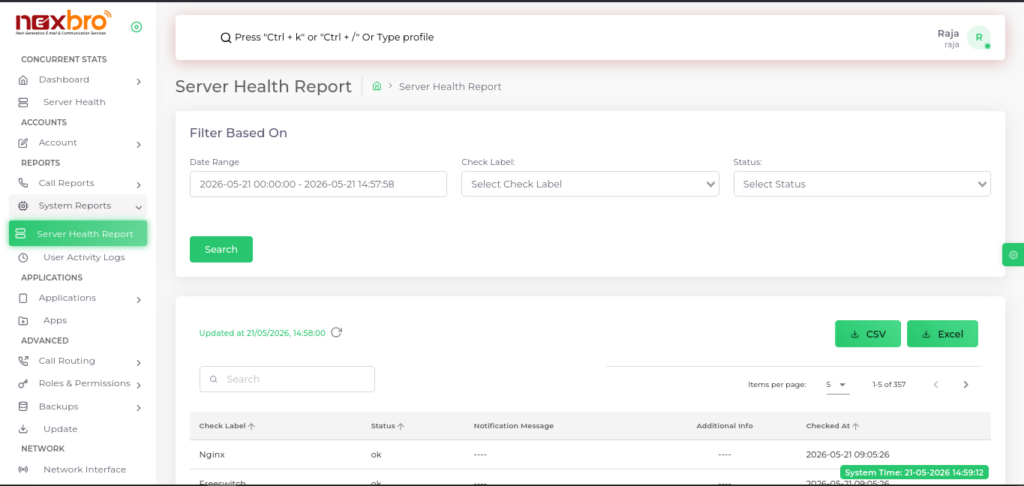
This screen displays health monitoring records along with filtering and export options.
Filter Section
The admin can filter health report records using the following options:
- Date Range – Select the time period for viewing records
- Check Label – Filter reports by service or resource name
- Status – Filter records based on service status (e.g., OK, Failed, Warning)
Click the “Search” button to display filtered results.
Health Monitoring Table
This section displays the status of monitored services and resources.
Here, the following details are available:
- Check Label – Name of the monitored component or service
- Status – Current operational status
- Notification Message – Displays related alerts or messages
- Additional Info – Extra diagnostic or system information
- Checked At – Timestamp of the health check
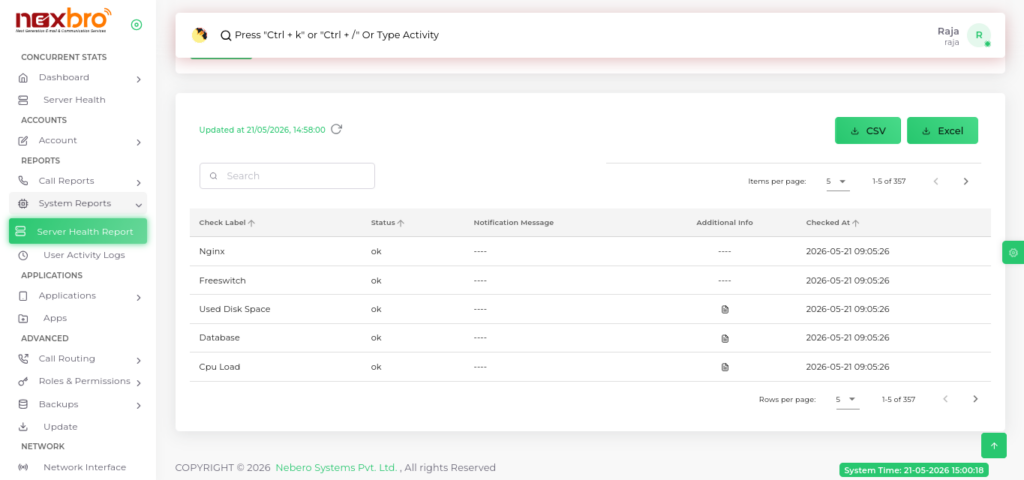
This screen displays detailed monitoring entries for various server services and system resources.
CSV & Excel Download
The module provides export functionality for downloading server health reports.
- CSV Button – Downloads report data in
.csvformat - Excel Button – Downloads report data in
.xlsxformat