
The Destinations module allows administrators to configure and manage storage locations where system backups are stored. Backup destinations can include local storage or remote locations such as SSH servers, Windows shared folders.
This module helps ensure backup files are stored securely, organized properly, and remain easily accessible for system recovery, migration, or maintenance purposes.
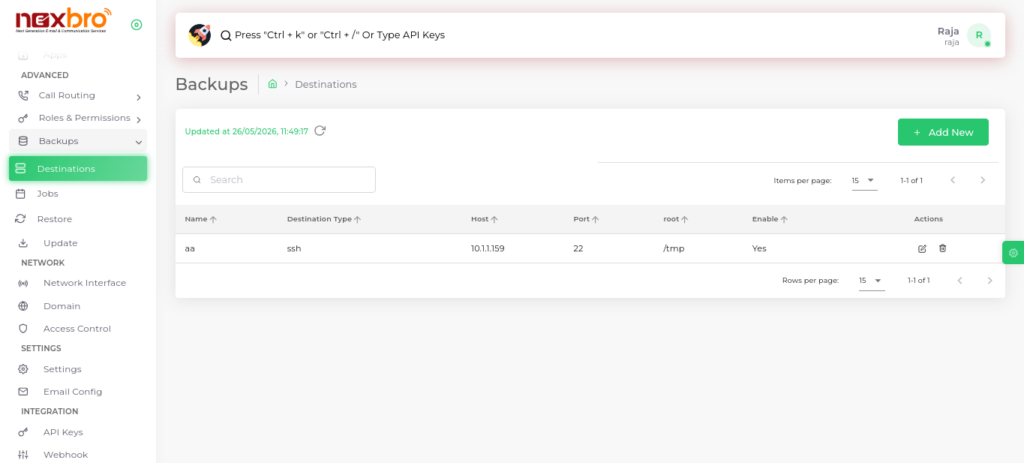
Add New (Destination)
The Add New option in Destination lets you create a new backup storage location. You need to enter details like destination name, type (e.g., SSH), host IP, port, and directory path. After saving, the destination becomes available for backup jobs. This helps you store backups in different secure locations as needed.
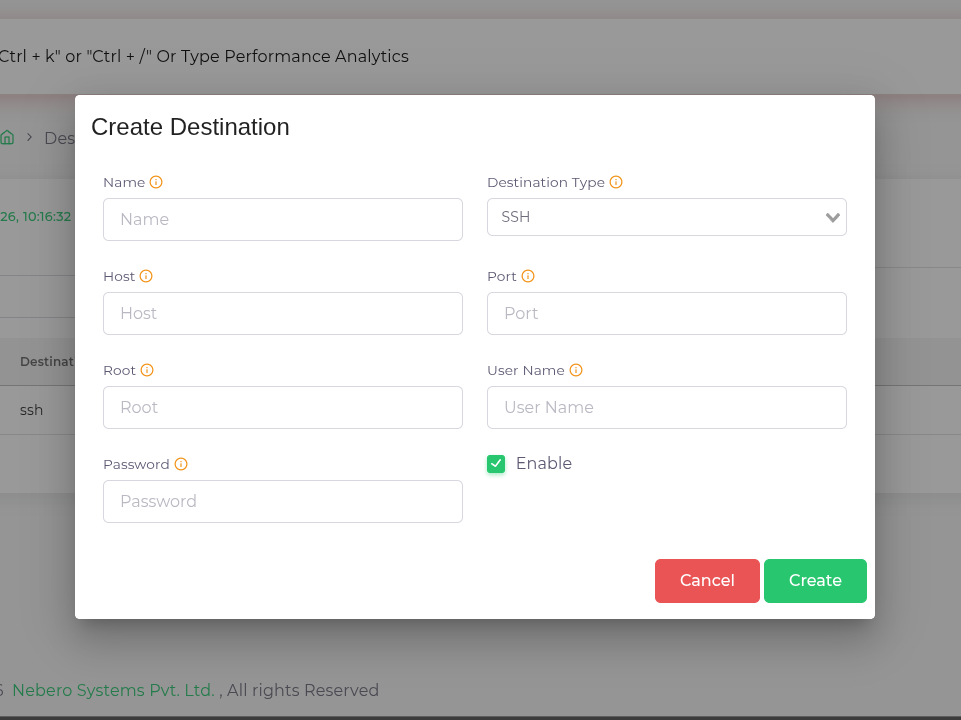
Click the “Create” button to save the destination configuration.
| Fields Name | Description |
| Name | Name of the Destination |
| Destination Type | The type of Destination |
| Host | The IP address either IPv4 or IPv6 |
| Port | The Port of the server |
| Root | The root path of the destination server |
| User Name | The username of the server |
| Password | The password of the server |
All records can be edited or updated as per requirements. It is recommended to verify connectivity and access permissions for each destination to avoid backup failures.
