
The Update module allows the admin to check and manage system software updates for the IP-PBX platform. It helps ensure that the system remains up-to-date with the latest features, improvements, bug fixes, and security updates.
This module provides a centralized interface for monitoring available updates and reviewing update logs.
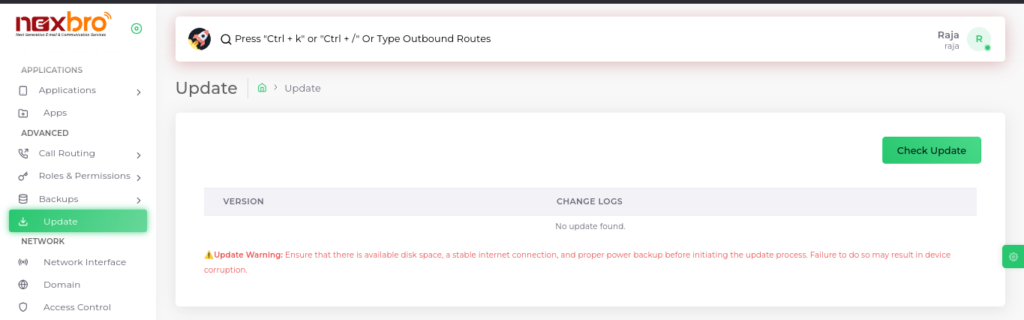
This screen displays the current update status and available update information for the system.
Update Information
The following details are available in this section:
- Version – Displays the available software version information
- Change Logs – Shows update details, improvements, and fixes included in the release
- Update Status – Indicates whether a new update is available or not
If no updates are available, the system displays an appropriate message.
Check Update
The admin can click the “Check Update” button to:
- Verify whether a new software update is available
- Retrieve the latest version details
- View related update logs and release information