
This section is used to manage how incoming calls are received and routed within the system. Administrators can configure rules to direct calls to specific destinations such as extensions, IVR menus, ring groups, or call queues based on business requirements.
It helps ensure that incoming calls are automatically routed to the correct department, team, or user efficiently, improving call handling and customer communication.
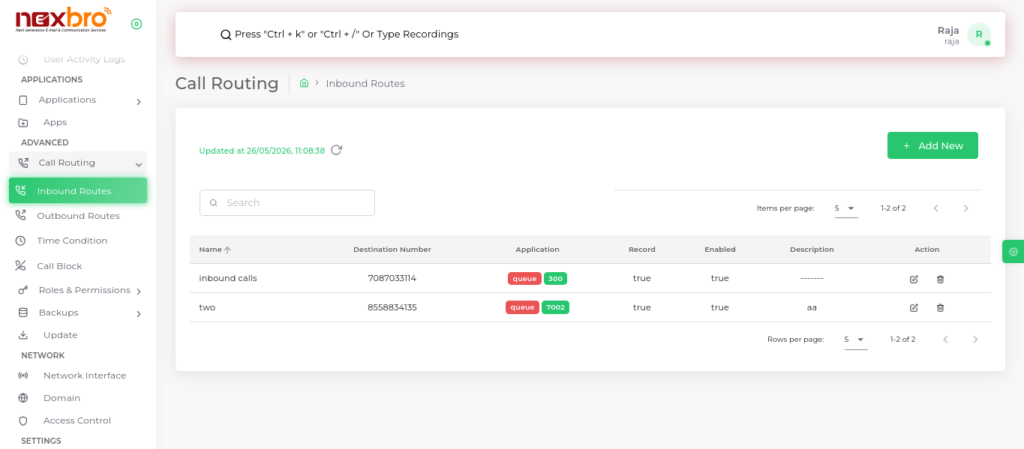
Add New (Inbound Route)
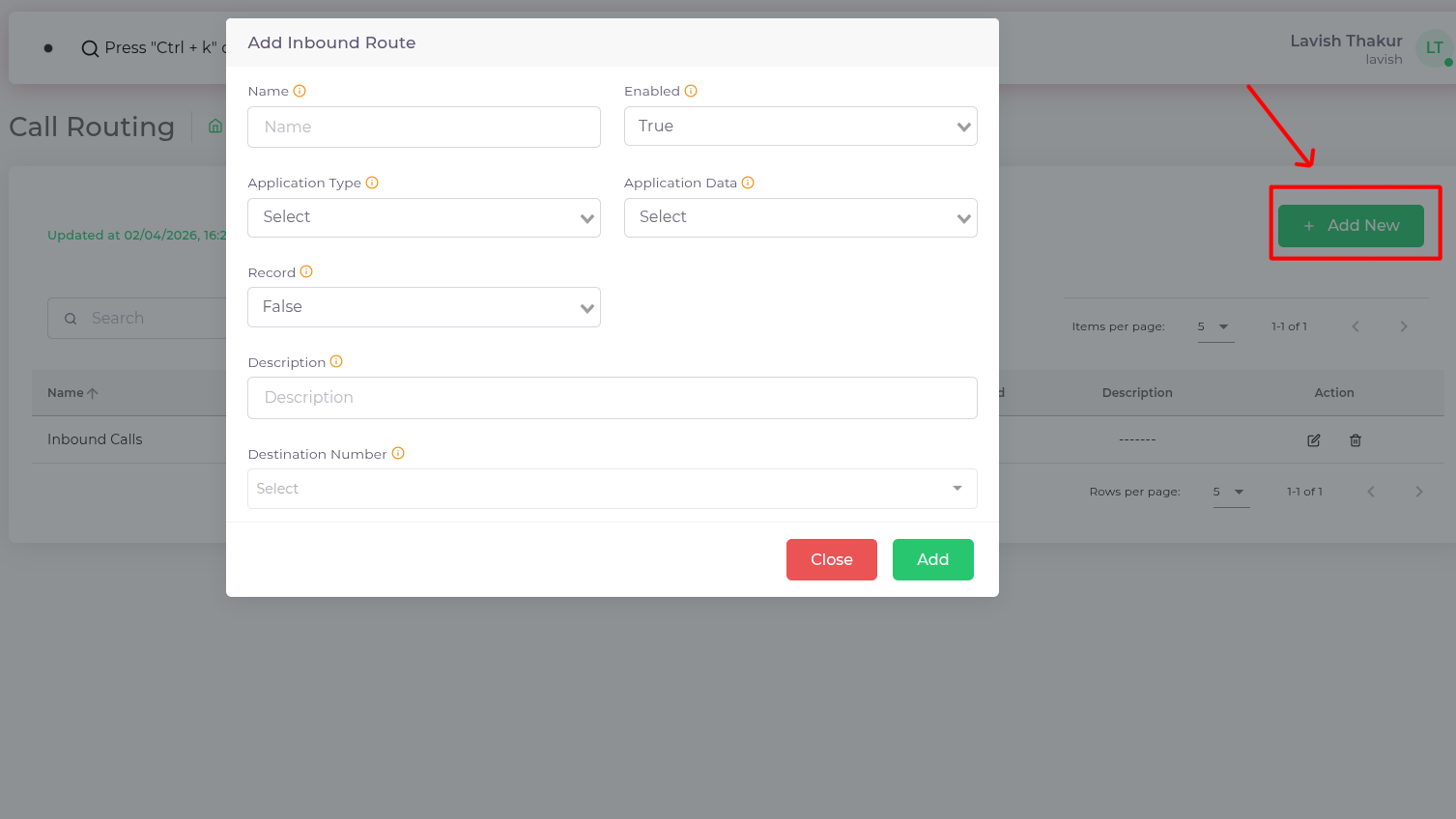
This option allows users to create a new inbound route by defining details like name, application type, and destination number. It helps in configuring how incoming calls are handled and routed within the system.
| Fields Name | Description |
| Name | This label helps identify and differentiate between various inbound routes within the system. It is used for organizational purposes and to easily reference a specific inbound call route in the user interface. |
| Application Type | The application to which calls are transferred when the destination number matches. This could be an IVR, a specific queue, or a recording to handle calls. |
| Enabled | Whether this inbound call route is enabled or not. |
| Application Data | The extension or recording associated with the transfer application. This specifies where the call should be directed within the transfer application, such as another extension number, a queue, or a recording file. |
| Record | Whether the call should be recorded or not. |
| Description | A brief description of this route and its intended use |
| Destination Number | The caller ID number that the caller has dialed and wants to reach. |
