
The Queues module allows the admin to create and manage call queues for handling incoming and outgoing calls efficiently. Queues are used to distribute calls among multiple agents based on a defined strategy, ensuring better call management and reduced wait times.
Queues are commonly used for inbound (incoming calls) and outbound (call campaigns/support) operations.
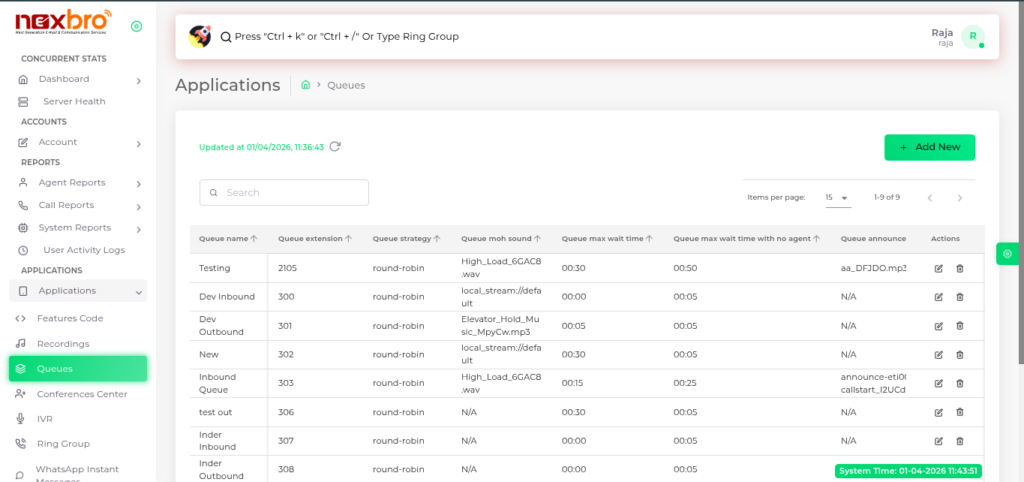
Add New Queue
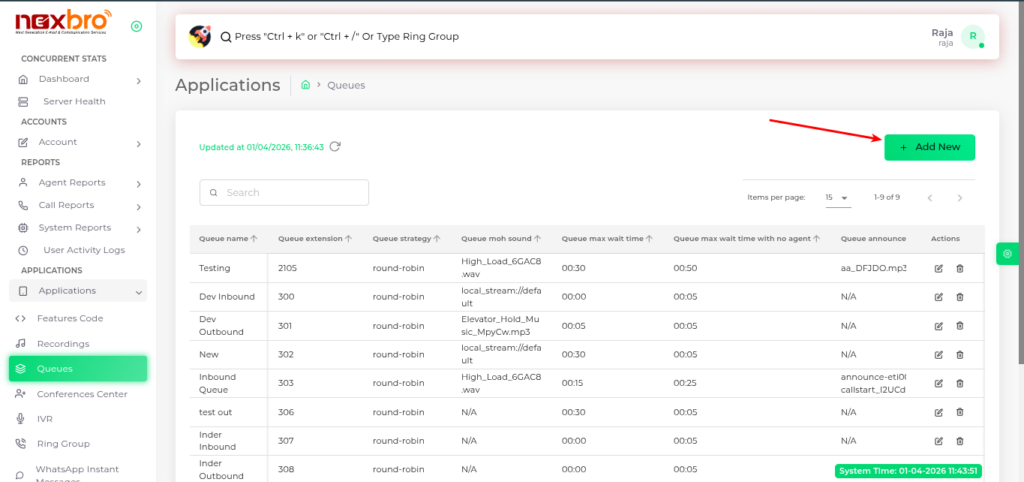
The admin can create a new queue by clicking on “Add New”.
Here, the following details need to be configured:
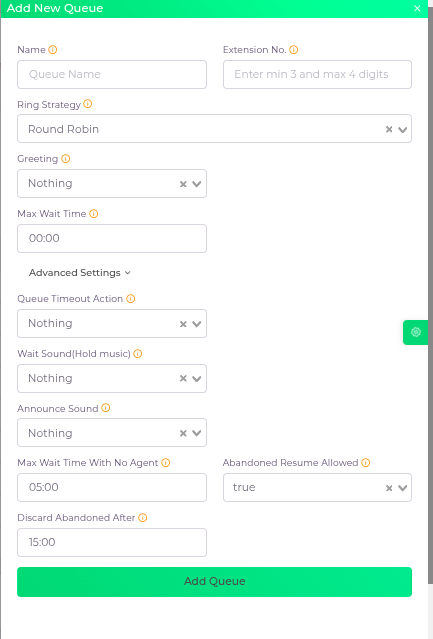
Click the “Add Queue” button to create the queue.
| Fields Name | Description | Example |
| Name | Enter the queue name | |
| Extension No. | Enter the extension number for the queue | |
| Ring Strategy | Select the queue ring strategy, which determines how calls are distributed to agents | |
| Greeting | Choose a recording file that will play when a call enters in the queue | |
| Max Wait Time | Set the maximum time a call can wait to be picked up by an agent. When the maximum wait time is reached, a timeout action will be executed. Set to 00:00 to disable the timeout. | |
| Queue Timeout Action | Specify the action to perform when the maximum wait time is reached | |
| Wait Sound(Hold music) | Select the desired hold music. This music will play when the call is in the queue and waiting to be picked up | |
| Announce Sound | Choose a sound to play to the caller at regular intervals (Announce Frequency) while they are waiting in the queue | |
| Max Wait Time With No Agent | Enter the timeout for when no agent is available. The Timeout Action will be used if there are no agents available | |
| Abandoned Resume Allowed | True: This setting is enabled and permits a call to resume their position in the queue, but only within the time frame set in ‘Discard Abandoned After.’False: This setting is disabled. | |
| Discard Abandoned After | Define the time in seconds before a call is considered abandoned and discarded |
